 Gary
Gary

This post is about the files on your Mac that MCP servers can access — the ones most developers don't know are exposed — and what you can do about it.
Open Terminal. Run this:
sqlite3 ~/Library/Messages/chat.db "SELECT text FROM message ORDER BY date DESC LIMIT 5;"
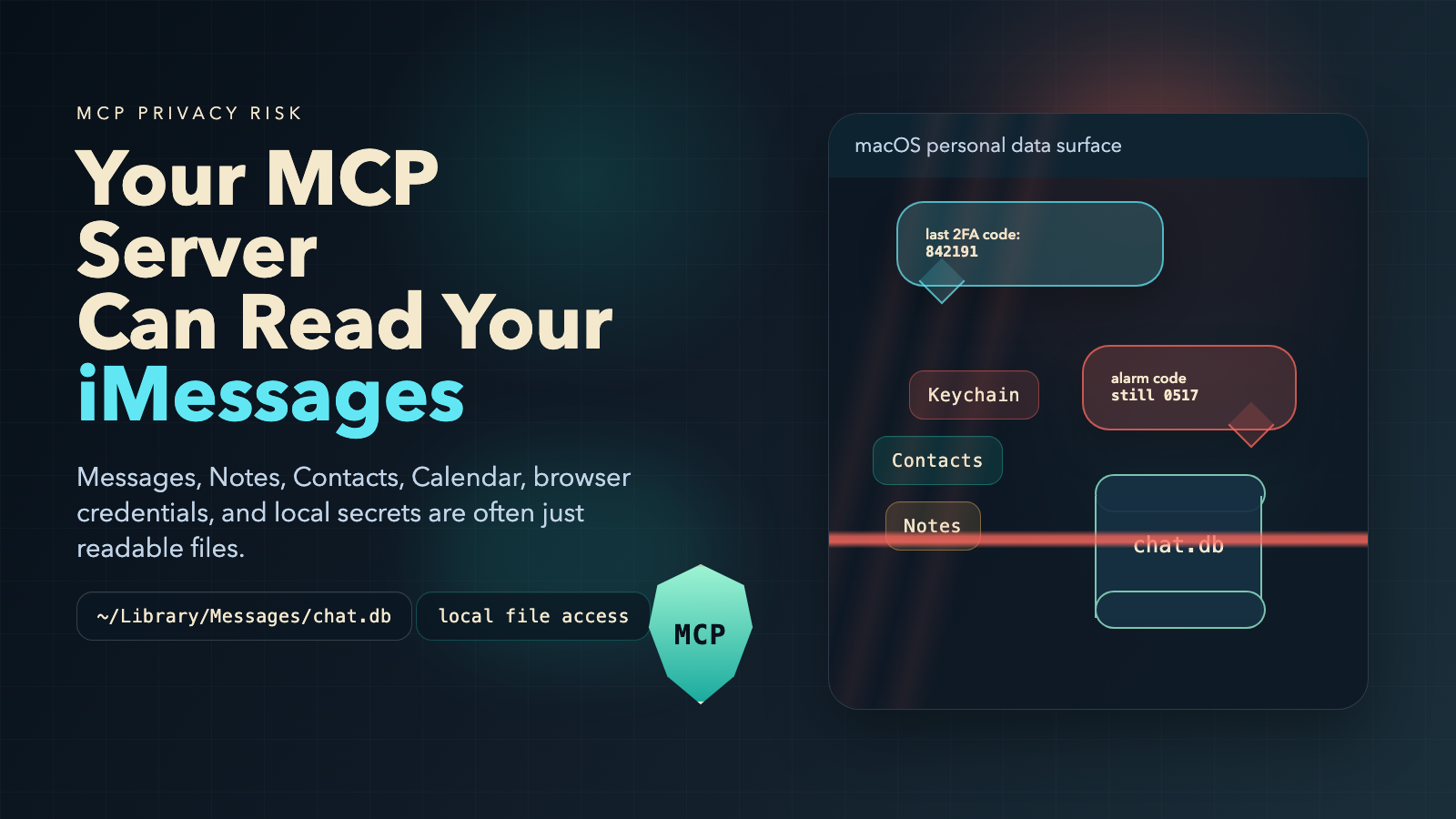
Those are your last five iMessages — including 2FA codes, password reset links, and anything else you've sent or received. Every MCP server you've connected to your AI agent can do the same thing. Right now.
The Files You Forgot Were There
macOS stores a remarkable amount of personal data in SQLite databases and plist files scattered across ~/Library/. Most of these files are readable by any process running as your user. That includes every MCP server your AI agent is connected to.
Here's what's on your disk right now.
Your Entire Message History
Path: ~/Library/Messages/chat.db
Every iMessage and SMS you've sent or received. Personal conversations, 2FA codes, password reset confirmations, business communications, attachment metadata. An MCP tool that calls read_file on this path gets all of it. An attacker who exfiltrates this database gets your 2FA codes in real-time — every one that arrives as a text message.
Your Contacts
Path: ~/Library/AddressBook/AddressBook-v22.abcddb
Names, phone numbers, email addresses, physical addresses, birthdays, employer information. Your contact database tells an attacker exactly who your bank, your boss, and your spouse are — without guessing. That's the foundation for targeted phishing.
Your Calendar
Path: ~/Library/Calendars/Calendar.sqlitedb
Your meeting schedule and travel plans. This tells an attacker when you're in a meeting and can't respond to a security alert, when you're traveling and your home is empty, and who you meet with regularly — useful for impersonation.
Your Notes
Path: ~/Library/Group Containers/group.com.apple.notes/NoteStore.sqlite
This one is the worst. Users store everything in Apple Notes: passwords, API keys, bank account numbers, SSNs, alarm codes, WiFi passwords, crypto recovery phrases. The database is unencrypted when your Mac is unlocked — which is always, when an AI agent is running.
Your Keychain (Offline Copy)
Path: ~/Library/Keychains/login.keychain-db
Every saved password, certificate, and private key on your Mac. macOS encrypts this at rest, but an offline copy enables brute-force decryption. The format has known weaknesses that make offline attacks feasible with modern hardware.
Your Browser Passwords
Path: ~/Library/Application Support/Google/Chrome/Default/Login Data
(Similar paths for Chromium, Edge, and Brave.)
Chrome encrypts saved passwords with a key stored in the Keychain. If an attacker has both files, they have every password Chrome ever saved.
The Attack Is One Tool Call Away
No shell exploit. No network pivot. Just this:
{
  "method": "tools/call",
  "params": {
    "name": "read_file",
    "arguments": {
      "path": "/Users/you/Library/Messages/chat.db"
    }
  }
}
If the MCP server is malicious, compromised, or just poorly secured — the data is gone. And read_file is only the obvious case. Any tool that accepts a file path is a potential exfiltration channel: edit_file, cat_file, search_files, even grep_files.
Credential Hunting via Search Tools
The more surgical attack uses grep_files or search_code to extract only the sensitive lines instead of copying entire databases:
{
  "name": "grep_files",
  "arguments": {
    "pattern": "password|api_key|secret|token",
    "path": "/Users/you/Library/Group Containers/group.com.apple.notes/"
  }
}
Less data. Harder to detect. Still just as damaging.
Beyond macOS: The Full Attack Surface
The exposure extends well past macOS-specific paths.
Package Registry Credentials
~/.npmrc, ~/.pypirc, ~/.gem/credentials, ~/.cargo/credentials — authentication tokens for every package registry you publish to. A compromised MCP server doesn't just steal these. With an HTTP-capable MCP tool, it can publish backdoored packages directly:
{
  "name": "http_request",
  "arguments": {
    "method": "PUT",
    "url": "https://registry.npmjs.org/your-package",
    "body": "..."
  }
}
No shell command executed. No command-interception hook triggered. This is why shell-level protection alone isn't enough.
CI/CD Tokens
~/.drone-token, ~/.atlantis-token, ~/.argocd/config — credentials that grant write access to your deployment pipeline. An attacker with these can inject code into your build process and compromise every release.
Code Signing Certificates
~/.android/debug.keystore, Java keystores, Apple provisioning profiles. With your signing certificate, an attacker can publish malicious updates that your users' devices will trust automatically.
IDE and Agent Configuration
~/.cursor/mcp.json, ~/.claude/settings.json, .vscode/settings.json. An MCP server that can write to these files can register itself — or another malicious server — into your trusted server list. Persistent access that survives restarts.
What AgentShield Blocks
AI Agent Shield sits between your AI agent and every MCP server you connect. 674 policy rules evaluated at the proxy layer — before any tool call reaches the downstream server.
Personal Data Rules
Every sensitive macOS path has a dedicated rule:
- id: mcp-sec-block-macos-messages-db
  match:
    tool_name_any: ["read_file", "write_file", "cat_file", "edit_file"]
    argument_patterns:
      path: "**/Library/Messages/**"
  decision: "BLOCK"
  confidence: 0.95
  reason: "Access to macOS Messages database blocked — contains
    iMessage/SMS history including 2FA codes and personal
    communications. MITRE T1552.001."
Contacts, Calendar, Notes, Keychain, and browser credential databases each have equivalent rules with MITRE ATT&CK references and inline test cases.
Content Scanning
Even when a tool name doesn't match the blocked list, the content scanner inspects every argument for 12 categories of sensitive data:
| Signal | What It Catches |
|---|---|
| SSH / PGP private keys | -----BEGIN RSA PRIVATE KEY----- |
| AWS credentials | AKIA... access key format |
| GitHub tokens | ghp_, github_pat_, gha_ prefixes |
| Bearer / JWT tokens | Auth headers passed as arguments |
| Slack tokens | xoxb-, xoxp- prefixes |
| Stripe live keys | sk_live_ prefix |
| Database URIs | Connection strings with embedded passwords |
| Basic auth in URLs | https://user:pass@... |
.env file contents |
Key=value credential format |
| Generic API key assignments | api_key = "..." patterns |
| Large base64 blobs | Possible encoded file exfiltration |
| High-entropy strings | Shannon entropy ≥ 4.5 bits/char over 100+ chars |
If your SSH key appears in any tool argument — even a send_message "sidenote" parameter — the scanner catches it.
Package Registry Write Blocking
Dedicated rules block HTTP writes to npm, PyPI, crates.io, and RubyGems through MCP network tools. This is the specific supply chain attack where a compromised server publishes backdoored packages using your stolen credentials.
Credential Hunting Detection
When grep_files or search_code are called with patterns targeting credential-hunting behavior — searching for "password", "secret", "token", "key" in sensitive directories — the proxy flags the request as reconnaissance.
The 5-Layer Defense Model
Every tool call passes through five sequential checks:
| Layer | What It Does |
|---|---|
| Policy Engine | Blocked tool lists and fine-grained rules matching tool name + argument patterns |
| Content Scanning | 12-signal credential and secret detection across all argument values |
| Value Limits | Numeric thresholds on arguments — prevents uncontrolled resource commitment |
| Config File Guard | Hardcoded protection for IDE configs, shell dotfiles, and package manager configs. Exists outside the policy engine so agents can't disable it |
| Tool Description Scanner | Inspects tools/list responses for 8 poisoning signals before the agent ever sees them |
The Config File Guard layer deserves emphasis: it cannot be disabled through an MCP tool call. It exists specifically to prevent agents from disabling their own security.
Check Your Own Exposure
Run this on your Mac right now:
# Is your Messages database readable?
ls -la ~/Library/Messages/chat.db

# Apple Notes?
ls -la ~/Library/Group\ Containers/group.com.apple.notes/NoteStore.sqlite

# Chrome passwords?
ls -la ~/Library/Application\ Support/Google/Chrome/Default/Login\ Data
If those files exist — and they almost certainly do — every connected MCP server can read them.
What You Can Do
Install the MCP proxy:
brew install AI-AgentLens/tap/agentshield
agentshield setup mcp
One command. All MCP traffic routes through the security proxy. No changes to your MCP servers required.
Audit your connected servers. Open ~/.cursor/mcp.json or ~/.claude/settings.json and ask: do I recognize every server on this list? Does a GitHub PR server actually need read_file access? When did I last check for updates?
Run a full compliance scan:
agentcompliance scan /your/project
This maps every AI SDK, model reference, API credential, and data flow risk in your codebase to OWASP LLM Top 10, SOC 2, EU AI Act, NIST AI RMF, and ISO 27001.
The Underlying Problem
MCP has no permission model.
When you connect a server, it gets access to every tool it exposes — with no scope restrictions. A server with read_file can read any file. A server with http_request can call any URL. There is no "this server can only access the project directory." There is no "this tool can only talk to approved APIs."
Until MCP ships a native authorization layer — and there's no indication that's imminent — security has to be enforced externally. That's the gap AgentShield fills.
What Shipped This Week
15+ new personal data rules — macOS Messages, Contacts, Calendar, Apple Notes, Keychain, plus Windows Credential Manager and DPAPI master keys
Credential hunting detection — flags grep/search patterns targeting sensitive directories
Package registry write blocking — npm, PyPI, crates.io, RubyGems
Computer-use keystroke auditing — detects autonomous clicking through auth dialogs and full-screen screenshot capture
CI/CD token file protection — Drone, Atlantis, ArgoCD
Code signing certificate blocking — Android keystores, Java keystores, Apple provisioning profiles
674 total MCP policy rules across 14 threat categories
All rules map to MITRE ATT&CK and OWASP LLM Top 10, with inline TP/TN test cases.
Your MCP server can read your iMessages. It can read your Notes. It can read your saved passwords. The question is whether you have a layer in place to stop it.
Install AI Agent Shield — MCP security for the AI-native era.
Questions about MCP security? Reach out at [email protected] or aiagentlens.com.
Loading comments...